

Have you ever found yourself needing to move, visualize, or orchestrate data, only to hit a wall of complex data engineering concepts?
If you have experience working with AI but feel completely lost when it comes to modern data lakehouse orchestration, you are exactly who we built this for. Welcome to Data Pipelines for Dummies, a new series on the Tower blog designed to get you up and running with zero previous data pipeline experience.
In this first post, we are bypassing the token "Hello World" examples. Instead, we are going to use AI-driven Skills to build, configure, and deploy a production-ready data pipeline straight to your account in minutes.
What Are AI Skills, Anyway?
Before we dive into Tower, let's talk about skills in a broader sense.
By default, large language models (like the ones powering Claude or Cursor) are just text predictors. They can chat with you, but they cannot do anything. A "skill" (often called a tool or a function) bridges that gap. It is a piece of code that gives an AI agent permission and instructions on how to interact with external systems.
For example, if you give an AI a "web search skill," it can browse the internet. If you give it a "database skill," it can read and write records. Skills turn AI from a passive chatbot into an active agent that can execute real tasks on your behalf.
Now, Tower Skills
While AI skills are a general concept, we have built open-source Agent Skills that teach AI agents how to do useful data work with Tower.
Instead of forcing you to write boilerplate orchestration code, read endless API documentation, or configure complex infrastructure, you can give your AI these Tower-specific skills to handle the heavy lifting. Together, they cover the full loop: from source to a governed lakehouse to your final answer, with Tower sitting in the middle to ensure every run is scoped, auditable, and tracked.
All of our official skills are open-source and available in our repository here: https://github.com/tower/agent-skills.
Available Tower Skills:
- tower-integration: Gets data into the lakehouse. It builds ingestion pipelines that land raw data from APIs, databases, SaaS tools, and files into Iceberg tables, then deploys and schedules them on Tower's managed compute. Credentials live safely in Tower secrets, never in your code or chat.
- tower-data: Gets answers out of the lakehouse. It uses the
tower catalogs querycommand to vend a short-lived, read-only credential and runs SQL through DuckDB. This allows the AI to answer questions using SQL you can audit, without the agent ever touching your source systems.
What We Are Building Today
We want to build something that holds real value right out of the gate. Today, we are going to tackle a very common scenario: taking raw data from a Google Sheet and orchestrating it directly into Tower's storage.
Here is the outline of what we will do:
- Get Equipped: Install the Tower CLI and add the
tower-integrationskill to your agent. - Set the Prompt: Tell your AI agent what you want to build using our sample dataset.
- Review and Deploy: Look at the generated code before your AI automatically pushes the pipeline live to Tower.
- View in Tower: Locate your newly deployed app directly in the Tower UI.
Step 1: Getting Equipped
To get started, open your terminal. You will first need a Tower account and the Tower CLI installed and authenticated.
pip install tower
tower login
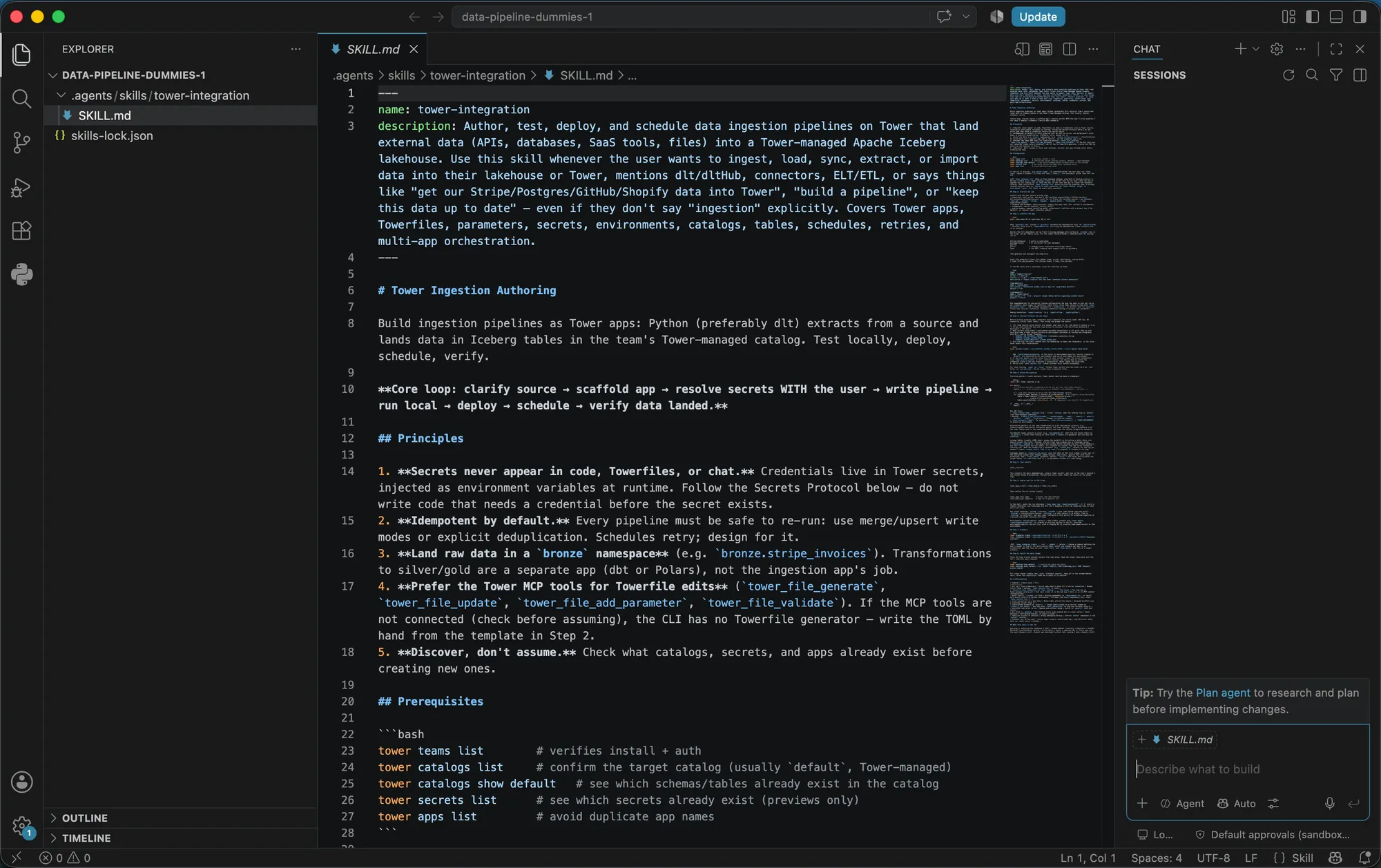
Next, you need to give your AI agent the ability to build Tower integrations. You can add the skills bundle using npx.
If you just want to add the specific integration skill for this tutorial, run:
npx skills add tower/agent-skills --skill tower-integration
(Note: You can also target specific agents by adding flags like -a claude-code).
Step 2: Generating and Deploying the Pipeline
Now that your agent has the tower-integration skill, you simply ask it for what you want. To make sure everyone
following along gets the same results, we will use a sample public dataset containing 50 rows of mock customer sales data.
Open your skills-compatible agent interface (like Claude Code or Cursor) and give it a straightforward, natural language prompt with the dataset link:
"Get our customer sales data from this Google Sheet URL into the lakehouse:
https://docs.google.com/spreadsheets/d/1-64GLA4H5rDQFma4CUMwh28cwDRdXYDjdkpauQutIyc/edit?usp=sharing. Using Tower, create and deploy a data pipeline app that reads the sheet every morning at 8 AM, transforms the rows into a clean tabular format, and loads that data into an Iceberg table."
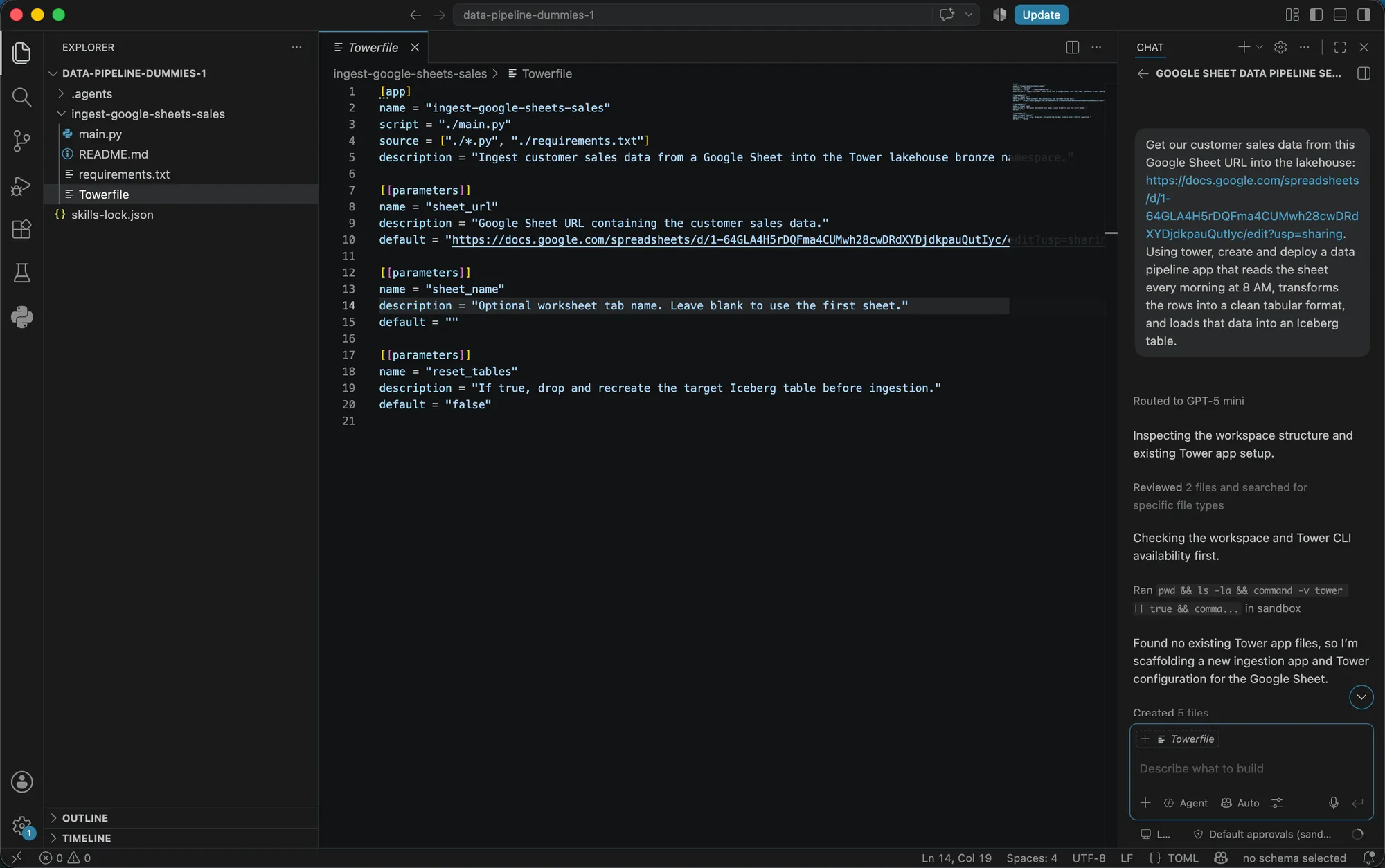
Behind the scenes, the tower-integration skill processes your request, generates the necessary project code, and
automatically deploys the live pipeline directly to your Tower account.
Step 3: Understanding What Was Built
Even though the AI handles the deployment for you, it helps to understand what it created. If you look at your project directory, you will see a clean, readable structure containing:
- TOWERFILE: The orchestration configuration file that sets the 8 AM schedule and connects the Google Sheets task to the Tower storage task.
- Python Scripts: The actual code responsible for fetching the Google Sheet data, cleaning the columns, and writing it securely to storage.
Finding Your App in the Tower UI
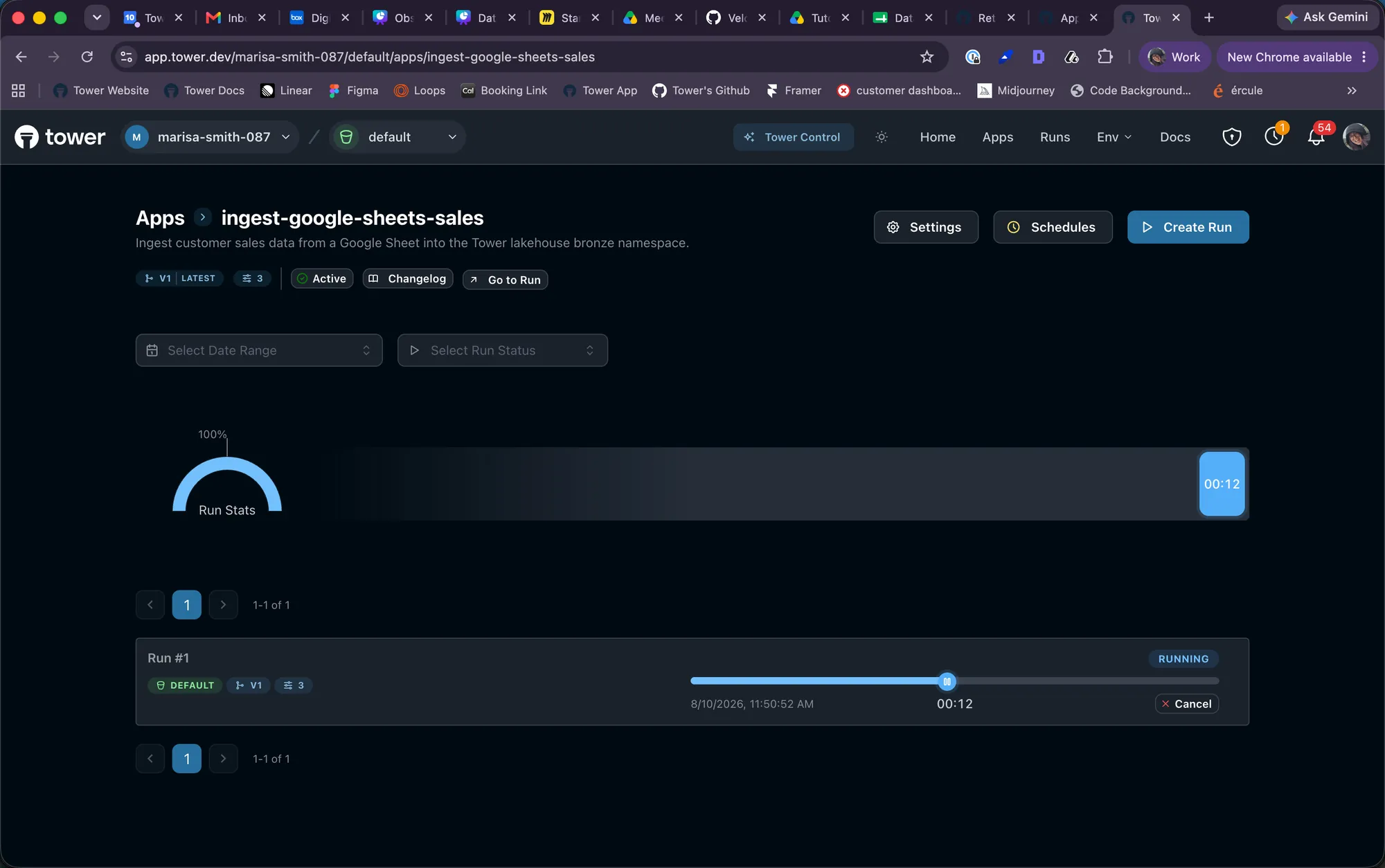
Once your agent finishes running, head over to your Tower web console to see your app live in production.
- Log into your Tower dashboard.
- Navigate to the Apps tab on the left navigation menu.
- Select your newly created customer sales pipeline from the list.
Here, you can inspect the scheduled execution time (8 AM daily), review previous run logs, or manually trigger an immediate run to test your new pipeline.
You just successfully built and deployed a production-grade data orchestration app using pure natural language!
What is Next?
Data pipelines do not have to be intimidating if you let AI skills do the heavy lifting. In the next instalment of this
series, we will dive into how to use the tower-data skill to safely query your newly ingested lakehouse data and get
answers without exposing your source systems.